:max_bytes(150000):strip_icc():format(webp)/Twitter-and-X-4c4103f6bc3c42e0b7197b60a50317ca.jpg)
From Presidents to politicians, athletes to actors, celebrities to human rights activists; people of all walks of life have posted tweet! Twitter's evolution - from its humble beginnings to being bought for a whopping US$44 billion by Elon Musk - has been a fascinating ride, which has helped shape the way we communicate online.
This platform has never appealed to me as the others, and I have never downloaded the app or made any attempt to understand it's features. I am certain that I'm not the only one, so let's delve into its domain! 😁
So,
What is Twitter?
Twitter is a social network and real-time communication service launched in 2006 and used by millions of people and organizations to quickly share and discover information.
The word Twitter comes from the frequent chirping sounds made by birds, hence the bird used in the Twitter logo.
Users can access the site via the web or mobile devices to exchange bite-size updates of information called 'tweets' which are messages of up to 140 characters that anyone can read or send.
History
Twttr was the original project code name for Twitter when it was first under development. It was created in March 2006 by Jack Doresy, Noah Glass, Biz Stone and Evan Williams. It was officially launched in July of the same year.
It started off as a Podcasting company called Odeo before becoming the microblogging service it is today.
Dorsey had originally imagined Twitter as an SMS-based communication platform where groups of friends could keep tabs on what each other were doing based on their status updates.
When Twitter was launched, no one used the word "tweet" as a noun or verb. Instead, the tweeting process was referred to as "Twittering." "Twitterrific" and "twits" were also used but it wasn't until June 2008 that the word "tweet" appeared on the company's blog without the quotation marks.
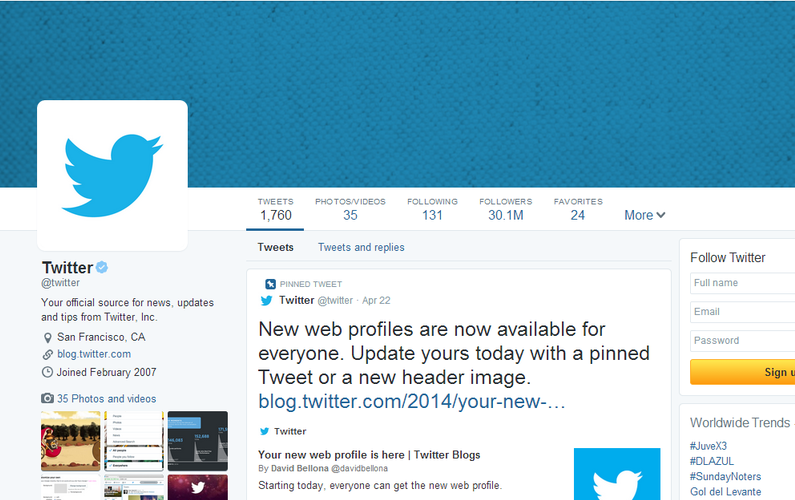
The Twitter Experience
With over 500 million users, Twitter is one of the world's largest social networks and the fifth-most visited website in the world. Users can share text, messages, images and videos as "tweets."
The key to navigating this platform is to master the lingo. The Twitterverse has its own vocabulary you'll be sure to see. Some of these words include:
- Tweet - a standard message on Twitter containing 140 characters or less.
- Retweet - a tweet that has been reshared to all of a users' followers.
- Hashtag - the # symbol is used to tag keywords or topics in a tweet to make it easily identifiable for search purposes.
- Mention - tweets can include replies and mentions of other users by preceding their usernames with the @ sign.
- Handle - this designates your username and accompanying URL at http://twitter.com/handle.
- Feed - the stream of tweets on your Twitter homepage comprised of all the accounts you follow.
- Lists - Twitter provides a mechanism to list the users you follow into groups of curated lists showing tweets of all the users in the list.
- Direct Message - also called a DM, this represents Twitter's direct messaging system for private communication amongst users.
How to get started on Twitter?
- Sign up - choose a username for your Twitter 'handle.'
- Follow sources - after you sign up for Twitter, you'll be given some suggestions of popular users to follow. This is the first step in using Twitter as a discovery engine to start following interesting new people and sources.
- Post a tweet - you can post tweets up to 140 characters. These tweets can also have media embedded like photos, videos or snippets from articles.
- Retweet
- Connecting and Mentions - Twitter provides a great way to connect with other users and monitor your interactions and mentions.
- Twitter Search and Discovery - see what's happening right now tailored just for you. Use the Discover tab to keep up with tweets, activity and other source for new people to follow.
- Twitter for Mobile - the mobile app allows you to have a consistent experience using Twitter on any smartphone or tablet.
- Tools and Apps - there are a ton of great apps and tools to enhance your Twitter experience and help manage potentially multiple profiles.
Challenges and Controversies
Twitter's journey has been marked by both progress and pitfalls, as it grapples with maintaining a balance between free expression and responsible moderation. It has faced many challenges and controversies over the years. Here are a few notable instances:
- Legal Challenge Over Hate Tweets - in a landmark legal battle, Twitter failed to remover a series of hate-filled tweets reported by users.
- Design and Hostility - Twitter's design has come under scrutiny for facilitating hostile communication online. Critics highlight the company's inadequate response to trolling, harassment and abuse.
- Banning of Donald Trump's Twitter Account - in the aftermath of the Capitol riot in January 2021, Twitter permanently suspended then-President Donald Trump's account due to concerns about incitement of violence and the spread of misinformation.
- Censorship of Twitter - Twitter has faced criticism for its inconsistent handling of content moderation, leading to debates about free speech, misinformation and the role of social media platforms.

Twitter for Business
Twitter is an excellent resource for businesses to grow their audiences, increase traffic and generate more leads. With over 400 million tweets a day and 200 million active users, people tune into Twitter to bring them closer to the things they care about. You should look to have at least a personal profile and a separate one for your business too! Having a great business profile gives your brand credibility on social media.
Some best practices to be awesome on Twitter include writing good tweets, sharing relevant and interesting content and sharing other people's stuff as well.
Twitter also offers promotions and advertising to get your business in front of even more fans.
Conclusion
Twitter is basically the best way to discover the best way to discover new content and keep up with your favourite topics of interest and people. Twitter lets you exchange ideas and information instantaneously bringing folks together from all across the globe like never before.
References
www.lifewire.com
www.businessinsider.com
www.wikipedia.com
www.socialmediatoday.com
Next week, I wrap up my MKTG 290 blog with my final post...
LinkedIn


No comments:
Post a Comment